




403
Sorry!!
Error! We're sorry, but the page you were looking for doesn't exist.
Tips and Tricks to get the most out your HUAWEI nova 7 5G and its 64MP Hi-res AI Quad Camera
(MENAFNEditorial) Huawei''s mid-range flagship nova series is known for its innovative and powerful camera setups, with each device giving its youthful audience all the tools they need for a premium photography experience. The newly launched 5G Trendy flagship HUAWEI nova 7 5G continues this tradition by packing in a powerful 64MP Hi-Res AI Quad Camera to meet all your photography needs. While taking stunning photos are as easy as opening the camera app and hitting the shutter, there are a few tips and tricks that can help you get even more out of the smartphone.
Get to know your camera system first
You can''t really get the best out of your camera setup without knowing what you have to work with. Keeping it simple, the HUAWEI nova 7 5G''s 64MP Hi-Res AI Quad Camera consists of four cameras namely, a 64MP main camera, 8MP ultra-wide camera, 8MP telephoto camera and a 2MP macro camera. All four work together to make sure your pictures turn out better than ever. Be it low light, zoomed in shots or even wide-angle photography, all of this is possible with a single tap.
Don''t worry about lighting
Too much or too little light? Don''t worry. The HUAWEI nova 7 5G''s main 64MP camera comes with a large aperture and image sensor that lets more light in and even allows for high resolution photography as well. In addition to this, the Super Night Mode 3.0 also helps with low-light photography. Once you hit the shutter, the HUAWEI nova 7 5G automatically takes several images, brightens the images through a longer exposure period and intelligently merges multiple images into one photo. This optimizes each image frame, reduces overexposure and accentuates the detail of darker areas. Thanks to the HUAWEI nova 7 5G''s powerful AI capabilities, all your photos will be fine-tuned and perfected, guaranteeing a perfect shot.
If you want to shoot in low light, just slide to the left to turn on Super Night Mode 3.0 and take the shot. The best part is you don''t need to set up a tripod or even have professional photography skills or adjust complicated ISO settings for low light shots. It''s that simple!
Fun and cool 4K Videos
When you shoot videos, it has to be of the best quality and with the HUAWEI nova 7 5G''s camera setup you can also shoot in stunning 4K. All you have to do is slide to the video mode, hit the gear icon to go to the settings and change the resolution settings to go up to 4K video recording. You can also shoot time-lapse videos in 4K. In addition to 4K videos, the HUAWEI nova 7 5G also supports DUAL-VIEW Video Mode allowing you to use two different cameras at the same time to capture videos from both sides.
Pinch to zoom in or out, closer or farther than ever before
The best part about the HUAWEI nova 7 5G''s camera setup is how it lets you shoot in all kinds of scenarios. Trying to take a photo of something far away? Simply pinch to zoom and the 8MP telephoto lens will let you get closer than ever before thanks to its zoom features that support 3x Optical zoom, 5x hybrid zoom and up to 20x digital zoom. You don''t need to setup a tripod either, because the AI Image Stabilization (AIS) ensures your shot is stable and blur free. You can even zoom out completely for a 120 degree field of view wide landscape shot, thanks to the 8MP Ultra-Wide lens. On the other hand if you want to get a close up macro shot, all you need to do is slide to the More section and switch on Super Macro mode and the 2MP Macro lens will give you the perfect close up shot.
Love selfies? Take some of the best ones even in low light
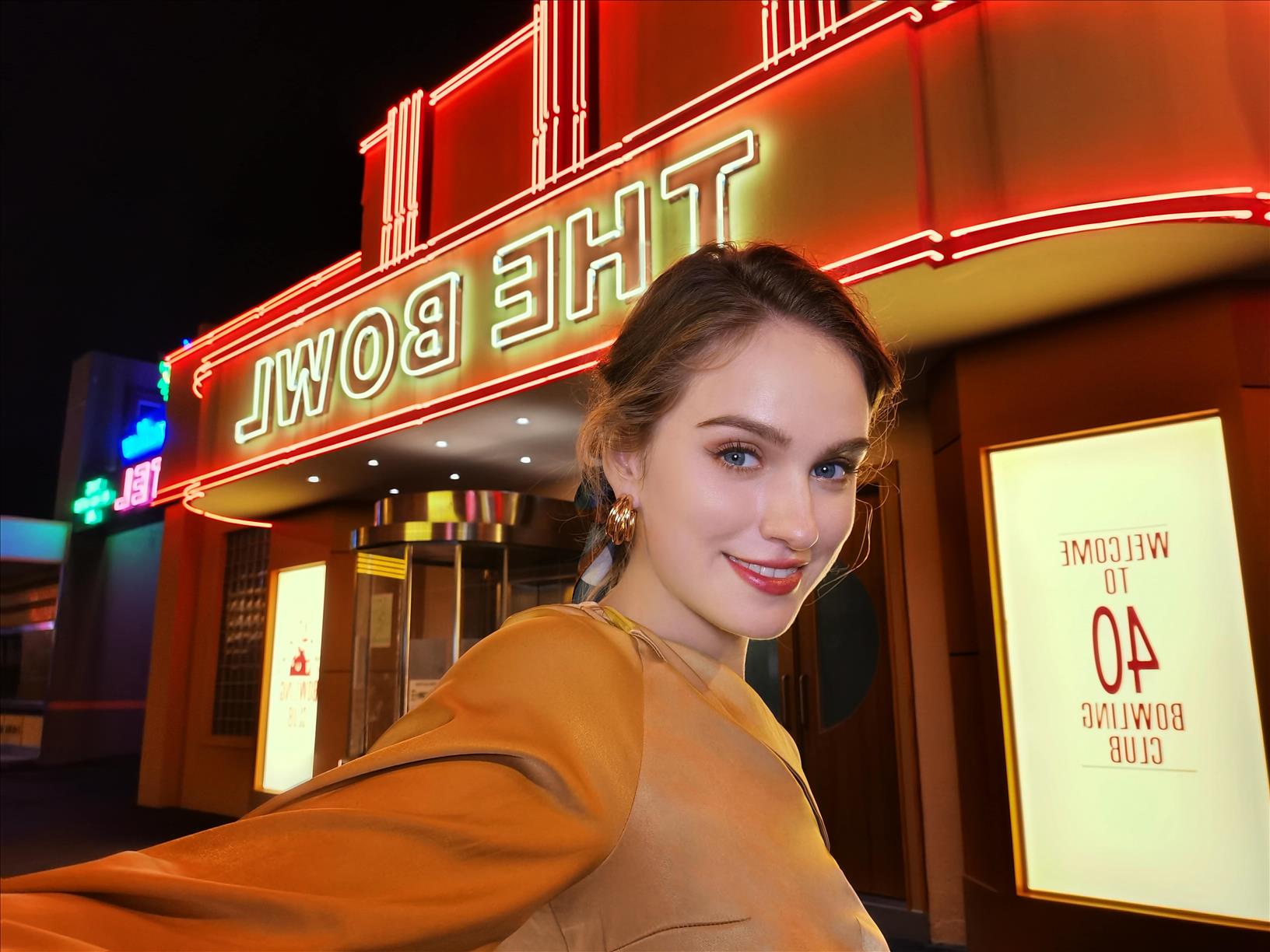
The HUAWEI nova 7 5G has a stunning front camera, perfect for taking some beautiful selfies! Boasting a 32MP Hi-Res AI selfie camera with support for Super Night Selfie 3.0 and 4K videos means you can take not only beautiful selfies in low light but also shoot videos in 4K, perfect for your daily vlog episodes! Simply turn on the camera and switch to front camera and you are good to go!
In addition to this, the on-board AI will not only work on beautification, but if you have your glasses on for example, it will also remove any reflections, giving your selfie that professional look.
Get some of the right apps
Be it for social media or even editing your photos on the go, you need the right set of apps. The HUAWEI nova 7 5G can help you here. Simply open the preinstalled HUAWEI AppGallery and search for the app you want. You can also go to the categories section and open Photo and Video to make your search even easier. Complementing HUAWEI AppGallery is Petal Search, a new search tool that acts as an open gateway to over a million apps which can be safely downloaded from secure sources all from the comfort of a home screen widget.
So go ahead and take some stunning photos and videos that will surprise everyone when you share it on social media platforms.
Get to know your camera system first
You can''t really get the best out of your camera setup without knowing what you have to work with. Keeping it simple, the HUAWEI nova 7 5G''s 64MP Hi-Res AI Quad Camera consists of four cameras namely, a 64MP main camera, 8MP ultra-wide camera, 8MP telephoto camera and a 2MP macro camera. All four work together to make sure your pictures turn out better than ever. Be it low light, zoomed in shots or even wide-angle photography, all of this is possible with a single tap.
Don''t worry about lighting
Too much or too little light? Don''t worry. The HUAWEI nova 7 5G''s main 64MP camera comes with a large aperture and image sensor that lets more light in and even allows for high resolution photography as well. In addition to this, the Super Night Mode 3.0 also helps with low-light photography. Once you hit the shutter, the HUAWEI nova 7 5G automatically takes several images, brightens the images through a longer exposure period and intelligently merges multiple images into one photo. This optimizes each image frame, reduces overexposure and accentuates the detail of darker areas. Thanks to the HUAWEI nova 7 5G''s powerful AI capabilities, all your photos will be fine-tuned and perfected, guaranteeing a perfect shot.
If you want to shoot in low light, just slide to the left to turn on Super Night Mode 3.0 and take the shot. The best part is you don''t need to set up a tripod or even have professional photography skills or adjust complicated ISO settings for low light shots. It''s that simple!
Fun and cool 4K Videos
When you shoot videos, it has to be of the best quality and with the HUAWEI nova 7 5G''s camera setup you can also shoot in stunning 4K. All you have to do is slide to the video mode, hit the gear icon to go to the settings and change the resolution settings to go up to 4K video recording. You can also shoot time-lapse videos in 4K. In addition to 4K videos, the HUAWEI nova 7 5G also supports DUAL-VIEW Video Mode allowing you to use two different cameras at the same time to capture videos from both sides.
Pinch to zoom in or out, closer or farther than ever before
The best part about the HUAWEI nova 7 5G''s camera setup is how it lets you shoot in all kinds of scenarios. Trying to take a photo of something far away? Simply pinch to zoom and the 8MP telephoto lens will let you get closer than ever before thanks to its zoom features that support 3x Optical zoom, 5x hybrid zoom and up to 20x digital zoom. You don''t need to setup a tripod either, because the AI Image Stabilization (AIS) ensures your shot is stable and blur free. You can even zoom out completely for a 120 degree field of view wide landscape shot, thanks to the 8MP Ultra-Wide lens. On the other hand if you want to get a close up macro shot, all you need to do is slide to the More section and switch on Super Macro mode and the 2MP Macro lens will give you the perfect close up shot.
Love selfies? Take some of the best ones even in low light
The HUAWEI nova 7 5G has a stunning front camera, perfect for taking some beautiful selfies! Boasting a 32MP Hi-Res AI selfie camera with support for Super Night Selfie 3.0 and 4K videos means you can take not only beautiful selfies in low light but also shoot videos in 4K, perfect for your daily vlog episodes! Simply turn on the camera and switch to front camera and you are good to go!
In addition to this, the on-board AI will not only work on beautification, but if you have your glasses on for example, it will also remove any reflections, giving your selfie that professional look.
Get some of the right apps
Be it for social media or even editing your photos on the go, you need the right set of apps. The HUAWEI nova 7 5G can help you here. Simply open the preinstalled HUAWEI AppGallery and search for the app you want. You can also go to the categories section and open Photo and Video to make your search even easier. Complementing HUAWEI AppGallery is Petal Search, a new search tool that acts as an open gateway to over a million apps which can be safely downloaded from secure sources all from the comfort of a home screen widget.
So go ahead and take some stunning photos and videos that will surprise everyone when you share it on social media platforms.

Legal Disclaimer:
MENAFN provides the
information “as is” without warranty of any kind. We do not accept
any responsibility or liability for the accuracy, content, images,
videos, licenses, completeness, legality, or reliability of the information
contained in this article. If you have any complaints or copyright
issues related to this article, kindly contact the provider above.
Most popular stories
Market Research

More Story








Comments
No comment