




403
Sorry!!
Error! We're sorry, but the page you were looking for doesn't exist.
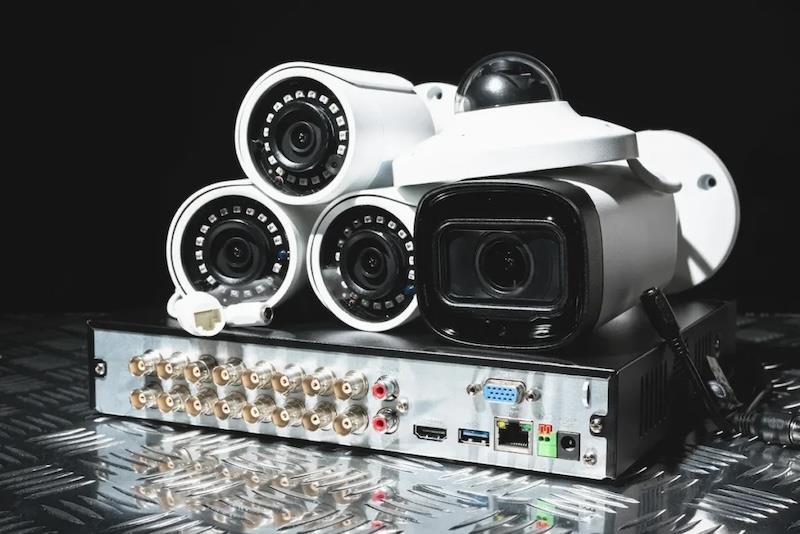
How Many Security Cameras Does Your Business Actually Need?
(MENAFN- Robotics & Automation News) Most business owners in Philadelphia just take a guess. They ring up a vendor, hear“start with four”, and roll with it.
That approach gets expensive quickly, especially once a break-in reveals a blind spot your bargain-basement setup completely missed.
Truth is, there's no one-size-fits-all answer. It hinges on your building's layout, what kind of business you run, and the particular threats your location faces.
We'll walk through the actual factors that shape how many cameras you should install, so you're not flying blind when it's time to spend money.
How Property Size and Layout Determine Your Camera CountYour floor plan matters most. It's the single biggest factor. Camera placement depends on entry points, hallway angles, blind corners, and where natural light hits the lens at different hours, none of which show up in a generic equipment quote.
Talking to a security cameras installation provider serving Philadelphia early saves headaches later; they can review your layout and flag coverage gaps before anything gets mounted, such as a camera that would face afternoon glare or an entry point that needs an extra angle to stay fully visible.
Working through these details during the planning stage means your system is made around how the space actually functions, not how it looks on paper.
Entry and Exit Points Come FirstEvery door, loading dock, and ground-floor window is somewhere an intruder could get in. A retail storefront with one front door and one rear exit? You're probably looking at three cameras, one for each entrance plus one at the register.
A warehouse with six dock doors needs at least one camera per door, then add in wide-angle yard coverage. Start by counting access points; that's your baseline.
Open Floor Plans vs. Divided SpacesOne open floor can usually be covered by two or three wide-angle cameras positioned at opposite corners. But divide that space with walls, private offices, separate dining areas, that sort of thing, and you need a camera in each zone.
One hallway camera won't show you what's happening behind a closed door. Walls multiply your camera needs.
Exterior Perimeter CoverageThe front door isn't where the trouble stops. Parking lots, side alleys, rear courtyards, that's where most commercial property crimes actually begin.
Philadelphia Police Department data from 2024 shows vehicle break-ins and package theft among the top reported commercial property crimes in the city. You'll want at least one camera per exterior elevation; any lot bigger than 20 spaces needs two.
Business Type Changes the MathWhat you sell shapes both how many cameras you need and where they should go. A law office isn't like a convenience store, and if you overbuild your system, you're burning money just as badly as if you'd underbuilt it.
Retail and High-Cash BusinessesRetail, restaurants, and any operation handling serious cash need thick camera coverage. Your POS terminal, cash drawer, stock room, and all areas that customers can access each get their own camera.
A mid-size Philadelphia retail shop, around 2,000 square feet, typically runs 8 to 12 cameras when it's done properly, not just for show.
Office Environments and Professional ServicesOffices need way fewer cameras than retail does. Your main entry, server room, and parking area are what matter.
Most offices under 5,000 square feet operate fine with 4 to 6 cameras and still hit insurance and HR documentation requirements. You're after access control and incident documentation here, not round-the-clock surveillance.
Warehouses and Industrial PropertiesTotal square footage doesn't tell you much on its own. Racking, forklifts, and loading areas all create blind spots that standard wide-angle cameras won't catch.
A 10,000-square-foot warehouse in Northeast Philadelphia or the Navy Yard area might run 14 to 20 cameras to cover dock doors, racking aisles, and yard perimeter without gaps.
What Camera Quality Does to the Total NumberBetter cameras cover more ground with sharper detail, so the resolution and lens you pick directly change how many units you'll need. This isn't just specs talk; it swings your budget in both directions.
Resolution and Field of View Trade-offsOne 4K wide-angle camera can replace two or three 1080p narrow-angle units in an open space. Doesn't always mean fewer cameras are right, but spending more per unit can drop your total count.
In a parking lot, one 4K varifocal camera covering 180 degrees often beats three cheaper fixed cameras with overlapping but grainier coverage.
Indoor vs. Outdoor Camera SpecsOutdoor cameras require weatherproofing (IP66 rating minimum), infrared night vision, and the ability to handle both sunlight and darkness in the same frame. Indoor cameras stay smaller and cheaper.
Use both types smartly, and you'll spend your budget where it actually helps, not on outdoor-grade specs inside a temperature-controlled server room.
Storage and Monitoring Affect Camera DecisionsMore cameras mean more storage; more to monitor too. A 16-camera system running 4K with 30-day retention needs real storage capacity, whether on-site NVR or archiving services.
And here's the thing: if your budget or IT setup won't handle that, fewer well-placed, higher-quality cameras often outperform a massive system where footage gets overwritten every three days.
ConclusionFiguring out how many security cameras your Philadelphia business needs comes down to four variables: access points, floor plan scope, business type, and camera quality.
A small retail shop might need 8 to 12; a warehouse might need 20. Count your entry points first, then fold in square footage and business-specific risks.
Get a professional assessment before you buy anything; that's the single move that saves the most money down the line.

Legal Disclaimer:
MENAFN provides the
information “as is” without warranty of any kind. We do not accept
any responsibility or liability for the accuracy, content, images,
videos, licenses, completeness, legality, or reliability of the information
contained in this article. If you have any complaints or copyright
issues related to this article, kindly contact the provider above.
Most popular stories
Market Research

More Story








Comments
No comment