




403
Sorry!!
Error! We're sorry, but the page you were looking for doesn't exist.
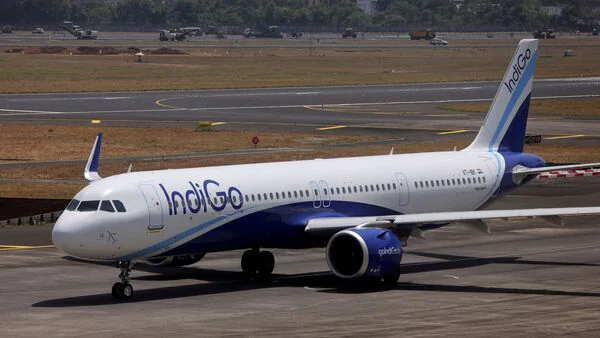
Indigo Flight Cancellations: Step-By-Step Guide To Check Flight Status On Goindigo
(MENAFN- Live Mint) IndiGo, one of the country's leading airlines, has been hit by operational disruptions, causing at least 150 flight cancellations, while several others were delayed, affecting thousands of fliers. Several videos surfaced showing scores of passengers waiting for hours to board flights. The chaos, which continued today, has also affected major cities such as Delhi, Bengaluru, Kolkata, and Hyderabad.
Step-by-step guide to check you flight status.
The situation has resulted in mounting frustration among passengers, many of whom have been left stranded at airports, claiming that there was no prior notice of changes to their travel plans.
Also Read | Delays, cancellations continue: IndiGo plagued by more flight disruptions todayThe delays have left passengers anxious. If you are among the passengers who will be boarding a flight, here's a complete step-by-step guide on how to check your flight status.
How to use IndiGo's official website or app to track your lightHere is a simple way to check IndiGo flight status using their website and mobile app. Here's how you can do it:
Using the website
Go to IndiGo's official website: goIndiGo
Click on the“Flight Status” tab at the top.
View full ImageStep-by-step guide to check you flight status.
Choose how you want to search:
By flight number: Enter your 6-character IndiGo flight code (starts with 6E) and pick your travel date.
By route: Select your departure city, arrival city, and travel date.
Also Read | IndiGo flight operations still remain affected; passengers say 'Captain missing'Click“SEARCH.”
The results page shows all key details-scheduled and updated times, terminals, and current status. Delayed flights are highlighted in red, making them easy to spot.
Using the Mobile App (Easier Option)
Download and open the IndiGo app.
Tap“Flight Status” in the bottom menu.
Enter your flight details just like on the website.
The app is more user-friendly, with bigger buttons and clear status updates.
Also Read | IndiGo flights face massive delays after rostering shake-up | ExplainedThe budget carrier has attributed the disruption to several factors, including technology glitches, a shortage of crew due to updated regulatory requirements on crew rostering, among other reasons.
The Directorate General of Civil Aviation (DGCA) has initiated an investigation into the airline's operations, requesting explanations and a clear plan to resolve the ongoing disruptions.

Legal Disclaimer:
MENAFN provides the
information “as is” without warranty of any kind. We do not accept
any responsibility or liability for the accuracy, content, images,
videos, licenses, completeness, legality, or reliability of the information
contained in this article. If you have any complaints or copyright
issues related to this article, kindly contact the provider above.
Most popular stories
Market Research

More Story







Comments
No comment