




403
Sorry!!
Error! We're sorry, but the page you were looking for doesn't exist.
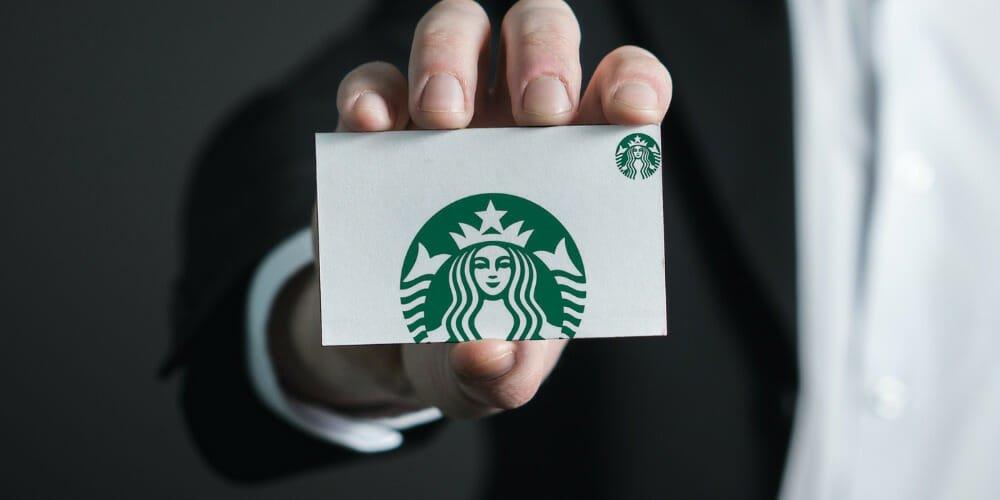
How To Activate Starbucks Gift Card & Getting Your Card Pin?
(MENAFN- ValueWalk)
Visit the Starbucks website and sign in to your account. Select“ Reload ” from the top navigation menu. Enter the amount you'd like to add to your Starbucks Gift Card and click“Add to Card. “ Enter the 16-digit card number found on the back of your Starbucks Gift Card and click“ Submit .” Your Starbucks Gift Card is now ready to use ! Go to your nearest Starbuck location. Place the order of your favorite Starbucks coffee or something else you like. Now simply present your Starbucks Gift Card to the cashier at the counter and ask them if you want to activate your card. They will swipe your card, deducting payment from that. Now your Starbucks Gift card is activated . It is that straightforward. Enjoy your coffee! Check Balance Go to the Starbucks website . Scroll down to the very bottom of the page and click on the “Gift Cards” link. Click on the“ Check Balance ” link on the Gift Cards page. Enter your gift card number and 8-digit Card Security Code (CCS) in the fields provided and click on the“ Check Balance” button. Your balance will be displayed on the screen. By Customer Service Number Call 800-Starbuc (800-782-7282 ). A recorded voice of a customer service representative will ask about your concern. Then they will ask for your card number. Enter your 16-digit card number and wait for a while. Listen to the automated message and follow the instructions. Wait for a few seconds. You will then hear your balance. It is that simple, By Visiting a Starbucks Location Find a Starbucks location . This is pretty straightforward – just use the Starbucks Store Locator tool on the company website. Approach the register and ask to check your balance . The barista will likely ask for your card so they can swipe it, but you can also provide them with the card number if you prefer. Once your balance is displayed, you can decide whether to reload your card or not . That's all there is to it! Checking your balance at a Starbucks location is quick and easy, and it's a great way to keep track of your spending. Using the Starbucks App Open the Starbucks mobile app and sign in to your account. Tap on the“ Cards ” tab. Select the card you want to view the balance for . Your balance will be displayed on the screen. Starbucks Offer Go to the Starbucks website and log in to your account . Click on the“ My Cards” tab. Find the card you want to check the PIN for and click on it. Scroll down to the “Card Details” section, and you should see your PIN number next to the “Security Code” field.
Find a participating Starbucks location . You can use your card at most Starbucks locations in the United States and Canada. Make a purchase . When you're ready to pay, simply tell the cashier that you'll be using a gift card. Enter the card number . The cashier will enter the card number into the register. Pay any remaining balance with another form of payment . If your purchase exceeds the balance on your Starbucks Gift Card, you can pay the remainder with cash, credit, or debit. Go to the Starbucks website ( ). Hover your mouse over the“ Shop ” link at the top of the page, and then click on“ Gift Cards ” in the drop-down menu. On the Gift Cards page, scroll down to the“ Check Your Balance ” section and enter your card number and PIN in the fields provided. Once your balance is displayed, click on the“Shop” link again and select“Coffee” from the drop-down menu. Find the coffee you want to purchase and click on the “Add to Cart ” button. When you're ready to checkout, click on the“ Cart ” link at the top of the page. On the Cart page, you'll see your current order and card balance. If you have enough money on your card to cover the cost of your purchase, simply click on the “Checkout” button. Enter your shipping information and click on the “Continue to Payment” button. On the Payment page, select “Gift Card” as your payment method. Enter your card number and PIN in the fields provided and click on the “Apply” button. Your total should now be updated to reflect the balance of your gift card. If you have enough money on your card to cover the cost of your purchase, click on the “Place Your Order” button. Otherwise, you'll need to add another form of payment to complete your transaction. Adding Money to Your Card Make sure you're a Starbucks Rewards member. If you're not already a member, sign up for free at Starbucks.com/Rewards. On your birthday, present your registered Starbucks Card or the Starbucks App to the barista when you make your purchase. Enjoy your free drink or food item! Use The Starbucks App Make sure you have the latest version of the Starbucks app installed on your mobile device. Open the app and sign in to your account. Tap on the“Rewards” tab. Scroll down to the“Your Birthday Reward” section. Tap on the“Redeem” button. Select the drink or food item you'd like to redeem your Birthday Reward for. Enjoy your free treat! FAQs What are the Benefits of Having a Starbucks Card? You'll earn rewards with every purchase. You'll get a free drink on your birthday. You can pay using your Starbucks Card balance , which makes things more convenient. You can manage your account online , check your balance, and view your transaction history. You might even get discounts on Starbucks merchandise when you use your card. Using a Starbucks Card, you're helping the environment by reducing the use of paper money. How Do I Check my Starbucks Gift Card without PIN? Go to the Starbucks website and log in to your account. Click on the “Add a Gift Card ” link under the“ Payment Methods ” section. Enter the card number and PIN in the appropriate fields. Click on the“ Add Card” button to complete the process. Conclusion
You are so excited to receive a Starbucks Gift Card, and why you shouldn't, as Starbucks coffee is one of the yummiest on the planet? But the problem is you don't know how to activate Starbucks gift card.
There is no specific way to activate your Starbucks Gift Card. These cards are activated upon the first use. You just have to register your card and make your first Starbucks purchase to activate your Starbucks Gift Card. And, if you want to keep your card activated, the only way is to use them consistently.
This article will walk you through the steps of activating your Starbucks gift card so that you can start enjoying those delicious coffee drinks. So whether you're heading to your local Starbucks or one of the newer Reserve locations, read on and activate that gift card before you go. So without further ado, let's get started.
DG Value Slumps 27.8% YTD; Sees Plenty Of Value In Mid Caps [Exclusive]Dov Gertzulin's DG Value Partner's flagship fund returned -6.42% net for the month of September, and its year-to-date results to -27.81% net according to a copy of the hedge fund's latest investor correspondence, which ValueWalk has been able to review. The flagship fund accounts for the bulk of the firm's $370 million in assets under
Table of ContentsA Starbucks Gift Card is a prepaid card used to purchase Starbucks coffee and other items at participating Starbucks locations . The card can be reloaded with additional funds and does not expire. You can also use your Starbucks Gift Card to pay for purchases made through the Starbucks app .
When you purchase a Starbucks Gift Card , you must provide your name, email address, and phone number . You will also be asked to create a PIN for the card. This PIN is used to verify your identity when purchasing the card. To , simply present it at the register and enter your PIN.
If you lose your Starbucks Gift Card , you can cancel the card and request a replacement by visiting the Starbucks website or app. You must provide your card number and PIN to cancel the card. If you have questions about your Starbucks Gift Card, you can contact customer service by phone or email.
Gift Card ActivationBefore activating your Starbucks Gift Card, you first must register yourself. Here's a quick guide on how to do just that:
You can activate your Starbucks Gift Card by making your first purchase at any of the Starbucks locations. After registering your card, follow these simple steps to activate it:
If you want to know how to check your Starbucks Gift Card balance, there are a you can do so. You can do it online , visit a Starbucks outlet, or call customer service. Here are the details to check the balance on your Starbucks gift card.
OnlineOne way is to check your balance online. In fact, it is the most convenient and easiest way to know your balance. To do so, you must follow these steps:
Another way to check your balance is by calling the customer service number on the back of your card. You can call them between seven days a week. Here is how to do this:
While it's easy enough to do online, some people prefer to visit a Starbucks location to check their balance in person. Here's a quick guide on how to do just that:
Another way to check the balance on your Starbucks Gift Card is by using their app. Here is how to do it.
Starbucks offers are a great way to save money on your favorite coffee drinks. Use your gift card to take advantage of these offers and save money. Starbucks offers can be found online or in most grocery stores. If you have a Starbucks gift card, make sure to register it to take advantage of all of the great offers available to you.
If you want to get Starbucks Offers using a Starbucks gift card, there are a few things that you need to do .
- First, you need to have a Starbucks gift card . You can purchase Starbucks cards online or at most grocery stores.
- Once you have your card, you must register it on the Starbucks website.
- After your card is registered, you will be able to view all of the offers that are available to you.
- To redeem an offer , simply show your card at the register when you make your purchase.
- Some offers may require you to purchase a certain amount of coffee or food items to get the discount . However, most of the time, you will be able to get a percentage off of your total purchase.
A PIN number is a Personal Identification Number given under the back of your Starbucks Gift Card. Like most people, you probably can't remember all of the PINs for your gift cards. Luckily, there's an easy way to find out your Starbucks gift card PIN . All you need is the card number and the amount of money on the card. Here is how to do it:
If you have questions about your Starbucks gift card or PIN, contact customer service for more help.
How to Use Your Starbucks Gift Card?Assuming you have a Starbucks gift card, there are a few ways to use it.
At Starbucks, LocationUsing your Starbucks gift card at a Starbucks location is the best way to use it. You must follow these simple steps to use your gift cards at a Starbucks location.
And that's all there is to it! With your Starbucks Gift Card, you can enjoy all your favorite Starbucks beverages and food items.
OnlineIf you're a Starbucks fan, you probably know you can use your Starbucks Gift Card to buy coffee, tea, and other items at any Starbucks location. But did you know that you can also use your card to make purchases online? Here's how:
The first step in using your Starbucks gift card is to add money to it. You can do this by visiting any Starbucks location and using a reloadable debit or . You can also add money to your card online via the Starbucks website or app.
When adding money to your card online, you'll need to enter the 16-digit number on the back of your card as well as the card security code. You'll then be prompted to enter your reload amount and billing information. Once your payment is processed, the money will be automatically added to your card balance.
Checking Your BalanceIt's always a good idea to check your card balance before making a purchase, so you know how much money you have available. You can check your balance online via the Starbucks website or app, or by calling the customer service number on the back of your card. If you're checking your balance in-store, simply hand your card to the cashier and they'll be able to tell you how much money is available on the card.
Starbucks Gift Cards as GiftsStarbucks gift cards make great gifts for coffee lovers and can be purchased in any denomination from $5 to $500. They can be used to purchase anything at Starbucks locations, including food, drinks, and merchandise.
To purchase a Starbucks gift card, simply visit any Starbucks location or go to the Starbucks website. Gift cards can also be purchased through the Starbucks app. Once you've decided on the perfect gift card amount, you can either have it sent to the recipient electronically or physically by mail.
Redeeming a Starbucks Gift CardIf you've received a Starbucks gift card as a gift, you can begin using it right away. Simply present the card to the cashier at any Starbucks location to make a purchase. If you're making an online purchase, you can enter the 16-digit card number and security code at checkout. When redeeming your Starbucks gift card for rewards, it's important to note that some cards may require you to redeem a certain amount of points at once in order to get the full value.
Redeeming Your Birthday RewardIt's your birthday, so it's time to redeem your birthday reward! If you're a Starbucks Rewards member, you can get a free drink or food item on your birthday . And what better way to enjoy your birthday treat than using a Starbucks Gift Card?
At A Starbucks BranchHere's how to redeem your birthday reward using a Starbucks Gift Card at a Starbucks location:
You can also redeem your birthday reward by using Starbucks App. If you're a fan of Starbucks, then you'll love their new app. The Starbucks app lets you pay for your coffee and food purchases from your phone. You can also check your balance, view your transaction history, and find nearby stores. The app is available for both iPhone and Android devices.
Here's how to redeem your Birthday Reward:
If you're a Starbucks coffee fan, you might wonder if it's worth getting one of their loyalty cards. After all, plenty of other loyalty cards are out there, so what makes Starbucks unique? Here are some benefits of having a Starbucks card:
If you have a Starbucks gift card, you can check the balance without a PIN by logging into your Starbucks Rewards account or using their app. Once you're logged in, you'll be able to view your balance and transaction history.
If you don't have a PIN, you can still use your card to make purchases, but you'll need to provide your phone number so that the cashier can look up your account. For security purposes, it's best to have a PIN for your gift card.
Do Starbucks Gift Cards Expire?No, Starbucks gift cards do not expire . You can continue to use your card until the balance is depleted. However, if they are not used for 12 months , you will need to reactivate them. If this happens, you can contact customer service to have it reactivated. So, if you want to avail yourself of the perks offered by the Starbucks Gift Card, be sure to keep your card active by using it regularly
How Do I Add a Starbucks Gift Card Without a Security Code?If you're wondering how to add a Starbucks gift card without a security code, don't worry – it's pretty easy. All you need is the card number and PIN , which can be found on the back of the card. Here's a step-by-step guide:
Now that you know your Starbucks gift card, enjoying all of Starbucks's deliciousness. From iced coffees and cold brews in the summertime to those cozy winter drinks like PSLs and Peppermint Mochas.
And don't forget about their food options! Starbucks always has something new and tasty for customers to try. So go ahead and activate Starbucks gift card today so you can begin enjoying all Starbucks has to offer.

Legal Disclaimer:
MENAFN provides the
information “as is” without warranty of any kind. We do not accept
any responsibility or liability for the accuracy, content, images,
videos, licenses, completeness, legality, or reliability of the information
contained in this article. If you have any complaints or copyright
issues related to this article, kindly contact the provider above.
Most popular stories
Market Research

More Story








Comments
No comment