




403
Sorry!!
Error! We're sorry, but the page you were looking for doesn't exist.
Ask AI Anything: How To Create And Edit Reels On Instagram? Chatgpt Said THIS
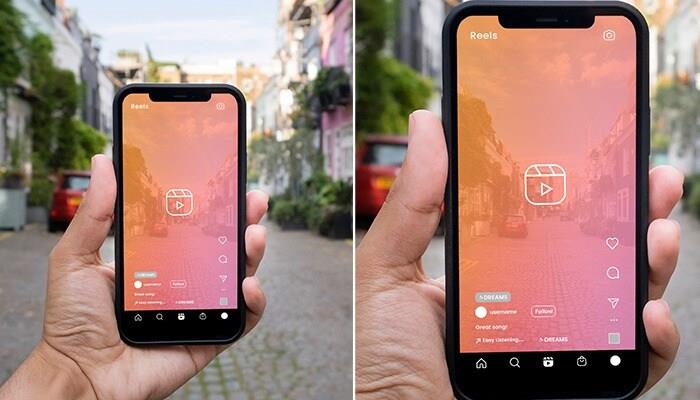
(MENAFN- AsiaNet News) Instagram Reels have emerged as one of the most effective platforms for sharing short tales, showcasing creativity, and expanding your following. Being able to create and modify Reels may help you stand out on the network, regardless of whether you're a company, content provider, or casual user. Using Instagram's built-in tools, we'll show you how to build captivating Reels step-by-step in this article, from shooting to editing and sharing.
Here's a step-by-step guide by ChatGPT on how to edit and make Reels on Instagram, using the app's built-in tools:
How to Create and Edit Reels on InstagramStep 1: Open the Reels Camera
- Open the Instagram app. Tap the + (plus icon) → select“Reel” at the bottom. Or swipe right from the home screen and choose Reel from the bottom menu.
Step 2: Record or Upload Video
- To Record: Hold the record button to film clips. Release to stop. To Upload: Tap the gallery icon (bottom-left) to add videos/photos. You can combine multiple clips, trim them, and adjust the order.
Step 3: Add Music and Audio
- Tap the music icon 🎵 to add background music. Choose a song and select the section you want to use. You can also use original audio from your recording.
Step 4: Use Effects and Filters
- Tap the sparkle icon ✨ to apply AR effects or filters. Browse trending or saved effects before or during recording.
Step 5: Adjust Speed and Timer
- Speed icon (1x): Slow down or speed up clips (e.g., 0.5x to 3x). Timer icon: Set a countdown for hands-free recording.
Step 6: Edit Clips (Post-Recording)
- After recording or uploading: Tap“Edit Clips” to: Trim or delete segments Reorder clips Add transitions
Step 7: Add Text, Stickers, and Captions
- Use the text tool (Aa) to overlay text. Add GIFs, stickers, or polls using the sticker icon. Tap“Captions” to auto-generate subtitles from your audio.
Step 8: Final Touch & Share
- Tap“Next” when you're done editing. Write a caption, choose a cover photo, and add hashtags. Choose to share to Reels, Stories, or save as draft.
Optional: Tag people, add a location, or share to Facebook simultaneously.
Pro Tips:
- Use trending music or formats for better reach. Keep Reels under 30 seconds for higher engagement. Post consistently and at peak hours (evenings/weekends).
Only a little imagination and the appropriate skills are needed to create Instagram Reels; no expensive equipment or editing software is needed. Instagram's built-in capabilities make it simple to create, edit, and publish visually appealing videos. Continue experimenting with music, effects, and trends to discover your style and increase your visibility. Now that you understand how to create reels, it's time to press record and get to work!

Legal Disclaimer:
MENAFN provides the
information “as is” without warranty of any kind. We do not accept
any responsibility or liability for the accuracy, content, images,
videos, licenses, completeness, legality, or reliability of the information
contained in this article. If you have any complaints or copyright
issues related to this article, kindly contact the provider above.
Most popular stories
Market Research

More Story








Comments
No comment