(MENAFN- PR Newswire) NEW YORK, Dec. 6, 2022 /PRNewswire/ --
It is universal but terrible for most iPhone
devices that iPhone stuck on Apple logo screen. If your iPhone is
frozen
on Apple screen
and you are
worried about what to do next
to handle Apple logo, don't need to panic
as Tenorshare is here to provide its expert repairing services with tenorshare reiboot to unfreeze
your frozen screen. What a coincidence
that up to 70% off is offered for its iPhone repair software before December 9, 2022. Avail this discount if you are confused to repair your Apple logo screen.
continue reading
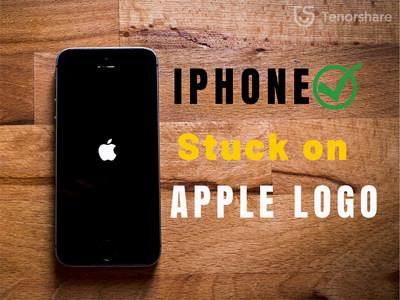
iPhone Stuck On Apple Logo? Here's why and how to unfreeze it!
Video Tutorial:
What would cause my
iPhone
stuck on Apple Logo? Many iPhone users complained
that
iphone stays
on apple
logo
screen , but they didn't catch the root of Apple logo.
Restoring data from backup, transferring data, installing and updating the software, jailbreaking iPhone, and degrading version are possible reasons for a frozen iPhone
screen. 'iPhone stuck on the Apple logo can be caused causally. Fortunately, it can be fixed by tenorshare reiboot when your iPhone is stuck on the Apple logo,' said Tenorshare's spokesperson. 'When compared to
the conventional
methods for fixing
iPhone Stuck on the Apple logo, Tenorshare ReiBoot has its magic to repair Apple logo in a hassle-free way.'
How to Fix iPhone Stuck On Apple Logo Without Data Loss? After figuring out the cause of the Apple logo,
let's move forward toward its solution
with
the best repair software.
Install the latest version of tenorshare reiboot on your PC and click 'START' on the main interface. Click on the 'Standard repair' button. Then download the firmware package by clicking on 'Download'. For fixing Apple Logo Loop, click on 'Start Standard Repair' after completing the download. Finally, the Apple logo stuck would be resolved to a normal state.
Additionally, Tenorshare ReiBoot can fix various iOS problems, such as device bugs, screen stuck, iPhone errors, and update problems, etc.
What are you waiting for
Tenorshare Black Friday ? Hence, why not get your iPhone free again with Tenorsahre ReiBoot if your iphone
is
stuck on
apple logo screen ? Catch these
mind-blowing Tenorshare Black Friday Amazing Deals
for a better software experience
to unfreeze iPhone. Once
you join in tenorshare black-friday sales , you can enjoy up to 70% off, Amazon gift cards,
discount vouchers, and more discounts. For more details, visit the link mentioned below:
About Tenorshare Other than iPhone stuck on Apple screen, reiboot
can
resolve any iOS issues with expert repairing software like iOS Update Stuck, White Screen, Boot Loop Screen, Black Screen, Recovery Mode Stuck, and
Won't Restore e.t.c.
Just rest assured to unfreeze Apple logo without hassle with ReiBoot. And Tenorshare has
established
trustworthy relationships with its customers
for years thanks to the
best quality to solve all types of software problems.
More information:
Facebook:
Twitter:
YouTube:
TikTok:
This release was issued through Send2Press®, a unit of Neotrope®. For more information, visit Send2Press Newswire at
SOURCE Tenorshare Co. Ltd.















Comments
No comment