

403
Sorry!!
Error! We're sorry, but the page you were looking for doesn't exist.
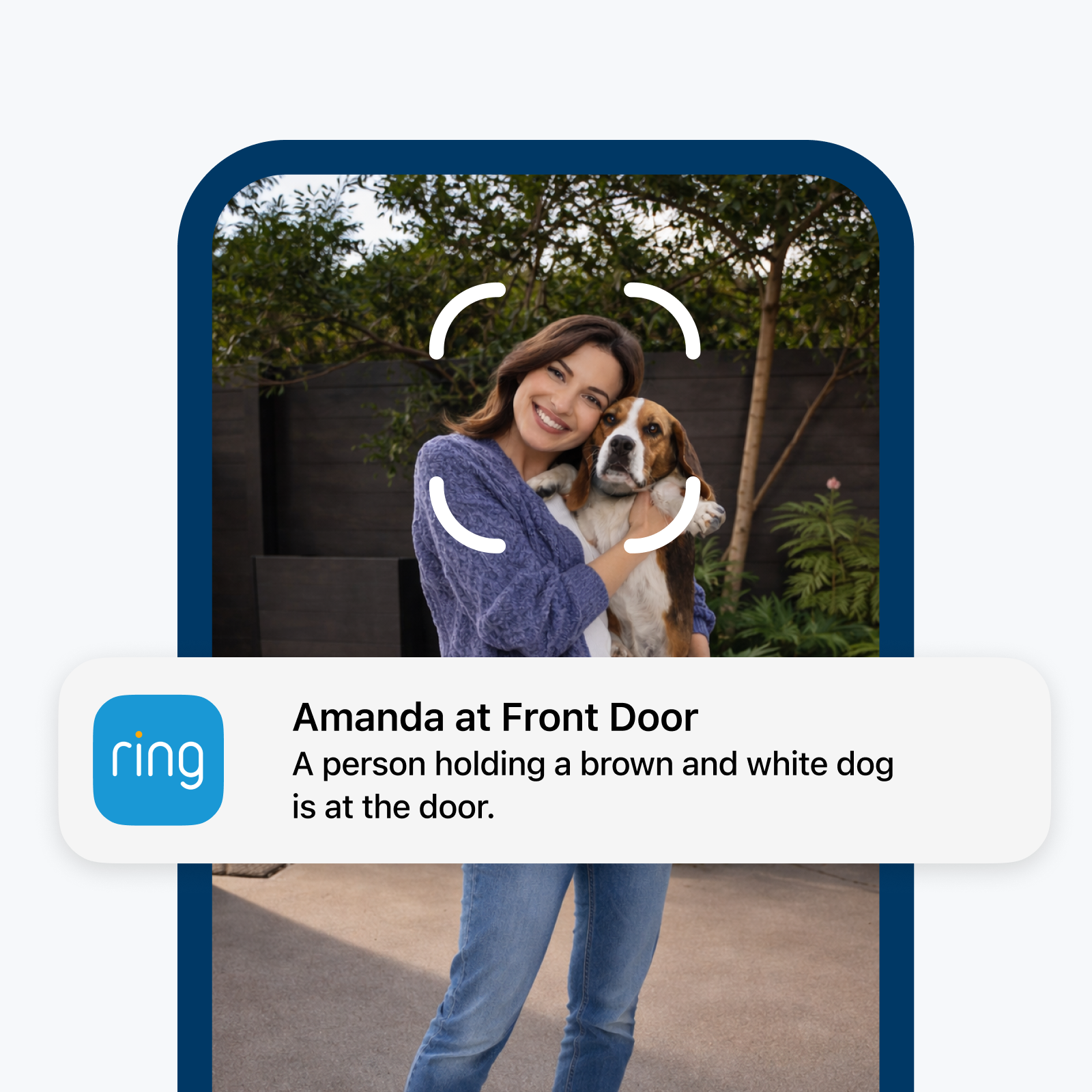
A New Way To See Who's At The Front Door: Ring Familiar Faces Now Available In The UAE


(MENAFN- Mid-East Info) Ring today announced the rollout of Familiar Faces to customers in the UAE. Familiar Faces is a new opt-in feature that helps Ring device owners quickly identify people they know when they appear at their front door. Once enabled, the feature delivers personalized notifications, such as“Mom at Front Door,” replacing generic motion alerts and eliminating the need to open the app to check who's there. Familiar Faces is now rolling out to Ring 2K, 4K, and select HD device owners in the UAE with an eligible subscription.
Borderless Finance. AI-Native.
Familiar Faces is an opt-in feature, so customers will need to turn it on in their Ring app settings before using it. Once enabled, they can head to their Familiar Faces library to start building their personal directory:
Like all Ring features, privacy and control are built into the core of Familiar Faces. The feature is off by default and only activates when customers choose to turn it on. Here's how we've built it to put them in control:
Your digital companion for smarter everyday choices. Built for how you live, earn, and grow. Move money at your pace with AI-powered finance, all in one tap.
Join the waiting Familiar Faces allows customers to personalize alerts, like turning off notifications for their own comings and goings, while staying informed about visitors. This helps reduce notification fatigue and gives users more useful context about who is detected, eliminating guesswork and making it effortless to find and review important moments. For example, knowing right away when their teenager arrives home from school, without having to check in or wait to hear from them. When customers set up Familiar Faces, Ring provides important information to help them use the feature properly and responsibly – including notifications in the Ring app and information on getting explicit consent from visitors as might be required by applicable laws. When customers turn on the feature, their compatible devices will begin detecting faces when people approach the camera, and they can label people they recognize in the Ring app. Customers can create a personal directory of up to 50 familiar faces, from family members and neighbors to their babysitter or dog walker. The feature gives customers more personalized notifications and is a game-changing way to keep them informed of who's stopping by, especially if they can't be there to greet them. Getting Started:Familiar Faces is an opt-in feature, so customers will need to turn it on in their Ring app settings before using it. Once enabled, they can head to their Familiar Faces library to start building their personal directory:
-
Add people easily: label them directly from their Event History or from within the library itself. Once named, that's how they'll appear in their timeline and Event History. Both customers and any shared users on their Ring account will see these names in notifications.
Manage the library with ease: create up to 50 profiles, edit names, merge duplicates, or delete entries at any time.
Stays current automatically: unnamed profiles are removed after 30 days, keeping the system streamlined without extra effort from customers.
Like all Ring features, privacy and control are built into the core of Familiar Faces. The feature is off by default and only activates when customers choose to turn it on. Here's how we've built it to put them in control:
-
Customers decide who's included: Customers build and manage their own personal directory – add up to 50 people, update entries, or remove them as their household changes.
Secure and private: Face data is automatically encrypted and stays private to the customer's account – it's never shared with anyone else.
Clear consent information: When customers set up Familiar Faces, the Ring app provides prompts and information on obtaining explicit consent from visitors, as might be required by applicable laws in their area.
Availability

Legal Disclaimer:
MENAFN provides the
information “as is” without warranty of any kind. We do not accept any
responsibility or liability for the accuracy, content, images, videos,
licenses, completeness, legality, or reliability of the information
contained in this article. If you have any complaints or copyright issues
related to this article, kindly contact the provider above.
Comments
No comment