

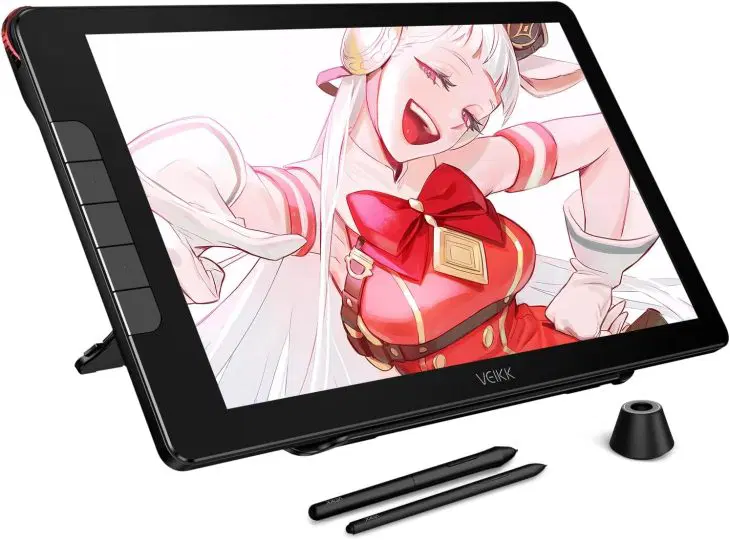
7 Incredible Digital Drawing Tablets For Budget And Professional Artists Alike


The HUION KAMVAS Pro 27 is a 27-inch 4K UHD display that captures every nuance of your art. Its color accuracy and resolution are unmatched, making it perfect for comic artists who demand cinematic detail. The screen resolution is 3840×1260 pixels.
The active screen area is 27 inches. It weighs over 17.64 pounds, and the tablet's dimensions are L x W 25.83′′L x 15.94′′W. It also has a multi-touch function screen and anti-glare glass.
This tablet's build quality and ergonomic design cater to professionals who spend hours perfecting their craft. It's on the higher end of the price spectrum, but its performance justifies the investment. For those ready to elevate their art to industry standards, the HUION KAMVAS Pro 27 is the ultimate upgrade.
Get it now for $1,549 on Amazon. It is a hefty investment but worth the price for any professional needing to step their game up.
7. XPPen Artist 13.3 Pro V2 Drawing Tablet with ScreenCompact yet powerful, the XPPen Artist 13.3 Pro V2 is perfect for artists who value portability without sacrificing quality. Its 13.3-inch display offers crisp visuals, and the stylus delivers precise pressure sensitivity for clean, expressive lines. The screen has eight customizable buttons and has anti-glare properties.
The screen has over 16,384 levels of pressure sensitivity, which increases accuracy by over 20%. It weighs over 2.5 pounds, and its dimensions are 15′′L x 9.5′′W. This tablet is great for comic artists who travel or work in limited spaces.
It's affordable, versatile, and compatible with major art software. Whether you're sketching character concepts or refining full-page spreads, the XPPen Artist 13.3 Pro V2 gives you professional control in a compact form.
Buy it now for $209.99 at Amazon.
Pros and Cons of Owning a Digital Drawing TabletBefore diving into specific models, let's weigh the benefits and drawbacks:
Pros- Precision and control: Pressure sensitivity mimics real pencil strokes. Efficiency: Undo mistakes instantly and save time on scanning or cleanup. Portability: Many tablets are lightweight and easy to carry. Integration: Compatible with software like Photoshop, Clip Studio Paint, and Procreate. Cost-effective in the long run: No need for paper, ink, or physical tools.
- Learning curve: It takes time to adjust from traditional drawing. Initial cost: Even budget tablets require an upfront investment. Maintenance: Stylus tips and screens may need replacement over time.
Despite these minor drawbacks, the creative freedom and professional polish a tablet provides make it indispensable for comic artists today.
Choosing the Right Tablet for Your JourneyComic book artistry is about storytelling, emotion, and imagination. A digital drawing tablet doesn't replace your creativity; it only amplifies it. The tools of the trade can always change, but a tool is useless without the human skill to channel innate talent through it.
Your next masterpiece deserves the best tools, and your journey as a comic artist deserves the upgrade.

Legal Disclaimer:
MENAFN provides the
information “as is” without warranty of any kind. We do not accept any
responsibility or liability for the accuracy, content, images, videos,
licenses, completeness, legality, or reliability of the information
contained in this article. If you have any complaints or copyright issues
related to this article, kindly contact the provider above.
Comments
No comment