







403
Sorry!!
Error! We're sorry, but the page you were looking for doesn't exist.
Best Free 2026 Video Cleanup Workflow: AI Image Editor And Video Watermark Remover
(MENAFN- Robotics & Automation News) Best Free 2026 Video Cleanup Workflow: AI Image Editor + Video Watermark Remover
1.png 915w,
1-300x181.png 300w,
1-768x463.png 768w" sizes="auto, (max-width: 915px) 100vw, 915px" />
January 1, 2026 by Sam Francis
In 2026, video is still the fastest way to earn attention – but it's also the fastest way to look unprofessional if your visuals aren't clean. You can have great footage, a strong hook, and a solid message... and one ugly overlay or watermark can instantly make the whole clip feel“reposted,” low-effort, or not brand-ready.
That's why creators are using a simple two-step cleanup workflow:
Polish key frames and thumbnails (so the video looks premium before anyone even hits play) Remove the video watermark (so the content feels original and clean)When both steps are fast and web-based, you stop treating video cleanup as a pain – and start shipping better clips consistently.
1) AI Image Editor: Make Frames and Thumbnails Look PremiumBefore you touch watermark removal, it helps to upgrade the look of the content. Why? Because most video performance comes down to first impressions: the thumbnail, the first frame, the lighting, the clarity.
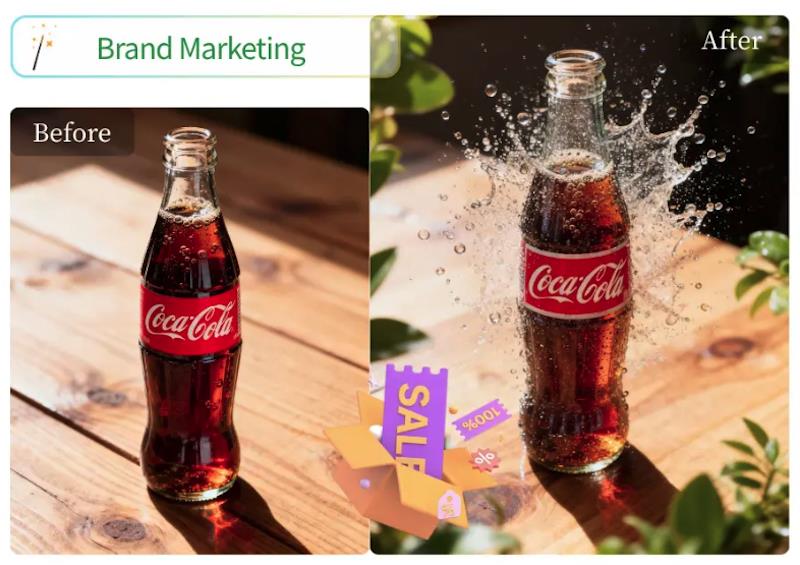
A practical starting point is Free AI Image Editor. Creators use it to quickly improve still frames (or thumbnail candidates) without doing deep manual editing.
What creators use AI image editing for in video workflows-
Creating sharper, more clickable thumbnails
Fixing lighting/contrast on key frames
Cleaning small distractions (tiny objects, clutter)
Adjusting colors to match a brand look
Generating alternate thumbnail versions for A/B testing

Legal Disclaimer:
MENAFN provides the
information “as is” without warranty of any kind. We do not accept
any responsibility or liability for the accuracy, content, images,
videos, licenses, completeness, legality, or reliability of the information
contained in this article. If you have any complaints or copyright
issues related to this article, kindly contact the provider above.
Most popular stories
Market Research

More Story








Comments
No comment